
Raleigh News & Observer | NC
McClatchyNews & Magazines
3.1219.00 Reviews
- Version
- 11.1.16
- Installs
- 10.00K
- Age Rating
- Everyone 10+
Screenshots
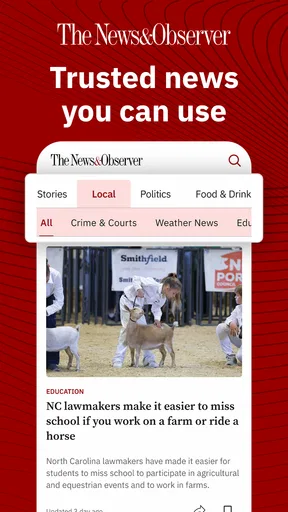
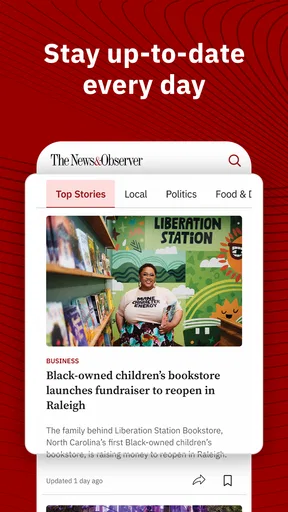
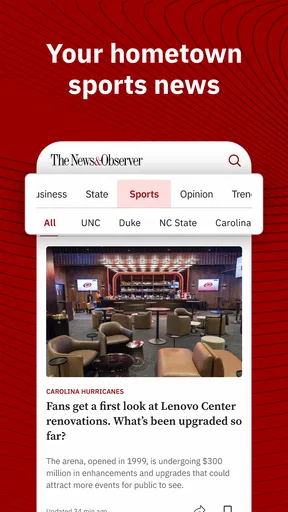
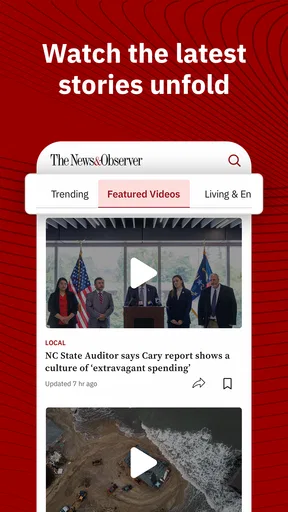

Our Review of Raleigh News & Observer | NC
 Analysis by Appyee
Have you ever found yourself frantically searching for the latest news updates while sipping your morning coffee? If you’re anything like me, staying informed is a priority, and that’s where the Raleigh News & Observer (N&O) app comes in handy. I’ve spent some time exploring this app, and I’m here to dish out all the details you need to know.
Starting with a local-news routine
I find this app most useful when Raleigh-area news is the reason I’m opening a news app in the first place. It is a free news and magazines app from McClatchy, and its focus makes it a more purposeful choice than a broad aggregator that mixes local reporting with a large stream of national headlines. If I want to know what is happening nearby, I would start here; if I want a wide range of publishers or a single place for every subject, a general news reader may suit me better.
A practical routine is to check the main feed over breakfast, open a story that affects the day ahead, then return later only when I have time to read more. That keeps local coverage useful rather than turning news into an endless scroll. For example, before driving across the Raleigh area, I might look for relevant local updates and weather information, then use a separate navigation or weather tool for live route decisions. A newspaper app can provide context, but it should not replace a dedicated service when timing or turn-by-turn directions matter.
Reading and moving through the app
The screen feels most approachable when I treat it like a newspaper with a clear local purpose, rather than expecting it to behave like a highly configurable feed. I would first scan the available sections, pick a story, and use search when I have a specific subject in mind. That simple sequence is less tiring than repeatedly jumping between unrelated headlines, especially for someone who checks news in short bursts.
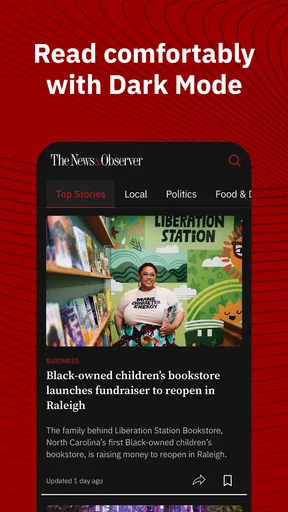
Readability is not only about the size of text; it also depends on how much competing material appears around an article and how easy it is to return to the place I was reading. This app’s reported night mode is useful for dim rooms, but a dark presentation does not automatically solve every visual need. If small text, contrast, or crowded screens are a problem for you, take a moment to test an article on your own device before making it part of a daily routine. Device-level text and display settings may help, though they can affect other apps too.
I would also use search as a deliberate shortcut, not just as a way to hunt for old stories. If a local issue develops over several days, searching for its central term can be a practical way to find related coverage without browsing every section. The trade-off is that search works best when I can describe the topic with a useful word or name; for casual discovery, the home feed is likely the easier starting point.
Getting Started with the N&O App
First things first, downloading the app is a breeze. Available for both Android and iOS, you can easily find it in your respective app store. Once installed, you’re greeted with a sleek interface that’s both user-friendly and visually appealing. The home screen is your gateway to a world of news, and it’s organized in a way that makes navigation feel effortless.
Features That Stand Out
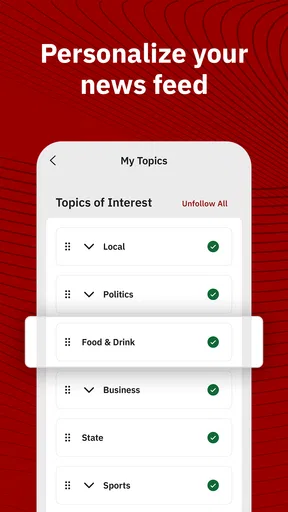
The Raleigh News & Observer (N&O) app comes loaded with features designed to enhance your news consumption experience. One of the most impressive is the customizable notifications. You can set alerts for breaking news, specific topics, or even local events. This way, you’re always in the loop without being overwhelmed by unnecessary updates.
Another feature I found super handy is the offline reading mode. Whether you’re on a flight or in an area with spotty internet, you can download articles and read them later at your convenience. Trust me, this feature is a lifesaver for those who are constantly on the go.
Content and Coverage
When it comes to content, the N&O app does not disappoint. From local stories that affect the Raleigh community to national and international news, there’s something for everyone. The articles are well-written, providing a balanced view without the clutter often found in other news apps.
The app also offers multimedia content, including videos and photo galleries, to complement the written pieces. This multimedia approach not only makes the news more engaging but also provides a deeper understanding of the stories being told.
Useful choices for different situations
Notifications can make a local-news app more convenient, but I would be selective about what I allow through. A phone that buzzes for every development can make it harder to focus, so I’d begin with only the alerts I genuinely need and adjust after seeing how often they interrupt. If you prefer to decide when to read, keeping alerts limited and opening the app at chosen times is a calmer workflow.
Offline reading is especially helpful when I know connectivity may be unreliable, but it works best as preparation rather than a rescue plan. Before a commute, appointment, or flight, I would save articles while connected and then check that they are available before going offline. That small habit avoids discovering at the last minute that a story I meant to read still needs a connection. It also makes the app useful in short waiting periods without relying on a strong signal.
For people who process information more comfortably through images or video, multimedia can offer another way into a story. At the same time, a video is not always the better option: it can be awkward in a quiet waiting room, use more attention than a quick scan, or be less convenient when I want to revisit one detail. I would choose the format that fits the moment rather than assume every story needs to be watched.
User Experience
The user experience is where the N&O app truly shines. The developers have clearly put a lot of thought into making the app as intuitive as possible. The search functionality is robust, allowing you to quickly find articles on specific topics. Additionally, the app’s performance is smooth, with minimal lag or glitches.
I also appreciate the night mode feature, which makes reading in low-light conditions much easier on the eyes. It’s little touches like these that make the app feel polished and well-maintained.
Access in everyday settings
On a typical morning, I might read a local story at home, save another item for a train ride, and check a chosen alert later rather than letting notifications dictate the day. That sequence uses the app’s local focus, offline reading, and alerts in different ways. It also highlights a sensible boundary: for rapidly changing weather, emergencies, or directions, I would cross-check with a dedicated source designed for immediate updates. News coverage is valuable for explanation and local context, while a specialist service is often better for decisions that depend on minute-by-minute information.
Motor and sensory needs vary, so I would not assume one layout works equally well for everyone. A person who finds repeated tapping uncomfortable may prefer to open a section, read a complete article, and leave the app instead of hopping between many short items. Someone sensitive to movement, sound, or bright screens can keep the phone’s own display and notification controls in mind, and avoid video when still text is more comfortable. These are practical ways to shape a reading session, not guarantees that every interaction will be accessible on every device.
Age guidance is another part of choosing an app for a household. The app is rated for Everyone 10+, so I would consider that when deciding whether it is appropriate for a younger reader, rather than treating a general news feed as automatically suitable for every child. For family use, it can help to read together and talk through a story, particularly when a topic is complex or upsetting.
Room for Improvement?
While there’s a lot to love about the N&O app, there are always areas that could use a bit of tweaking. For instance, I noticed that the app occasionally takes a moment longer to load certain sections, especially when switching between multimedia content. It’s not a deal-breaker, but a quicker load time would enhance the overall experience.
Additionally, while the app’s design is generally excellent, I’d love to see more options for personalizing the interface. Being able to choose a theme or rearrange sections according to personal preference could take the app to the next level.
Costs, expectations, and who should choose it
The app is free to install, while in-app purchases range from $7.99 to $159.99 per item. I would check the purchase details carefully before committing, especially if I only want occasional local updates; a free download does not mean that every paid option is included. The current version is 11.1.1, and the minimum operating-system requirement is 8.0, so it is worth checking that an older phone meets that baseline before relying on the app.
Its audience is fairly clear: I would recommend trying it if Raleigh-area reporting is part of your regular routine and you value having that coverage in a dedicated app. It is less compelling for someone who rarely follows local news, wants a customizable all-publisher feed, or prefers to avoid paid options entirely. A general aggregator is often better for comparing many outlets in one place; a weather app is better for forecasts and alerts; the N&O app’s advantage is the local newspaper context rather than being a replacement for those tools.
The app has been available since April 18, 2011, and has 10K+ installs. Its average rating is 2.0 from 401 ratings, with 217 written reviews, so I would treat the mixed public response as a reason to test it against my own needs rather than as a verdict by itself. The rating gives me pause, particularly if I expect a flawless technical experience. I would install it, try the sections I actually care about, and decide whether its local value outweighs any friction I encounter.
Final Thoughts
At the end of the day, the Raleigh News & Observer (N&O) app is a solid choice for anyone looking to stay informed about both local and global events. Its strengths lie in its comprehensive coverage, user-friendly design, and thoughtful features like offline reading and customizable notifications.
If you’re in the market for a reliable news app, I’d say give N&O a shot. It’s a fantastic way to keep your finger on the pulse of the world, all from the convenience of your smartphone. So go ahead, download it, and let me know what you think. Happy reading!
A practical, inclusive verdict
My recommendation is conditional rather than universal. If Raleigh coverage is important to you, the app gives you a focused place to follow it, and options such as saving stories, searching, and choosing alerts can support different reading habits. If you need a highly adjustable interface, have difficulty with the way articles display on your device, or depend on a news app for urgent live information, I would compare it with other tools before settling in. Accessibility is personal: the most useful test is whether you can comfortably find, read, and revisit the stories you need in the situations where you actually use your phone.
Verdict
Strengths of Raleigh News & Observer | NC
- User-friendly interface enhances navigation.
- Real-time updates keep you informed instantly.
- Customizable notifications for specific topics.
- Offline reading mode saves articles for later.
- Comprehensive coverage of local events.
Limitations of Raleigh News & Observer | NC
- Subscription required for full access.
- Occasional ads may disrupt reading.
- Limited international news coverage.
- App size can be large for some devices.
- Some features require constant internet.
Other Releases by McClatchy
View All
Fort Worth Star-Telegram News
News & Magazines3.0

The Charlotte Observer | News
News & Magazines2.7

Sacramento Bee News California
News & Magazines3.1

Kansas City Star | Local News
News & Magazines2.8
Similar Picks in This Category
View All
Google News - Daily Headlines
Google LLC4.0

X
X Corp.4.8

Flipboard:Your Social Magazine
Flipboard3.4

Opera News: breaking & local
Opera4.5

Hindi News by Dainik Bhaskar
Dainik Bhaskar Group4.0

Way2News Daily News App
Way2News ( Formerly Way2SMS )4.6
Frequently Asked Questions
What features does the Raleigh News & Observer app offer?
The Raleigh News & Observer app provides users with access to breaking news, in-depth articles, and multimedia content about local and international events. It includes customizable notifications, offline reading options, and a user-friendly interface. Additionally, subscribers can access premium content and exclusive stories directly through the app.
Is the Raleigh News & Observer app available for both Android and iOS devices?
Yes, the Raleigh News & Observer app is available for download on both Android and iOS devices. You can find it on the Google Play Store for Android and the Apple App Store for iOS. Ensure your device meets the required specifications for a smooth user experience.
Do I need a subscription to access all content in the app?
While the app provides some free articles and content, a subscription is required to access the full range of premium articles and exclusive features. Subscribers can enjoy unlimited access to all content, including special reports and in-depth analysis, making it a worthwhile investment for avid news readers.
How can I customize notifications in the Raleigh News & Observer app?
To customize notifications, navigate to the app's settings menu. Here, you can select your preferred topics and set the frequency of alerts. This feature allows you to stay informed about specific interests without being overwhelmed by unnecessary notifications, enhancing your personalized news experience.
Is there an offline reading mode available in the app?
Yes, the Raleigh News & Observer app offers an offline reading mode. This feature allows you to download articles and read them later without an internet connection. Simply save the content you’re interested in, and access it at your convenience, making it perfect for users on the go.
